Garrie AI: Your Cable Guide
Smart Home Electrical Installation 2026 Guide
Smart home installation is no longer just about adding a few Wi-Fi switches or plugging in a smart speaker. In 2026, a modern smart home is a complex, interconnected system where components like HVAC, security, appliances, and sensors work together seamlessly. For all of the exciting technologies, the best smart homes still depend on the basics: enough panel capacity, reliable cable runs, and good scalability for future upgrades.
This guide covers the main electrical and cabling considerations for smart home installation in 2026.
Components Of A Smart Home
Let's cover the basics. A complete smart home system may involve:
-
Smart lighting, switches, dimmers, and scene controls
-
Smart thermostats and HVAC controls
-
Video doorbells, intercoms, and access control
-
Security cameras, alarms, motion sensors, and door/window sensors
-
Smart locks, garage door openers, gates, and entry systems
-
Wireless access points, routers, switches, hubs, and network racks
-
PoE devices, including cameras, access points, and door stations
-
Smart appliances, outlets, plugs, and energy monitors
-
EV chargers, smart panels, load management systems, and backup power
-
Outdoor lighting, landscape controls, pool equipment, and exterior receptacles
-
Voice assistants, automation hubs, media systems, and centralised controls
Smart Home Electrical Installation Checklist 2026
-
Start with the service panel. Check the home’s service size, available breaker spaces, and whether the added smart-home loads require a panel upgrade, subpanel, load management equipment, or service upgrade. A 200A service is common for many modern homes, while larger smart homes with EV charging, heat pumps, electric ranges, battery storage, workshops, or multiple high-demand loads may need a 400A service or load management.
-
Run a load calculation. Before adding EV chargers, smart panels, heat pumps, electric ranges, HVAC equipment, or major appliance circuits, complete a proper load calculation.
-
Plan for continuous loads. EV chargers, some HVAC equipment, lighting systems, and network gear may run continuously. Continuous loads are commonly sized at 125%, so a 60A EV charger circuit is typically limited to a 48A continuous charging load.
-
Confirm neutrals at switch boxes. Many smart switches and dimmers need a neutral conductor. Older homes may not have neutrals in every switch box, especially where older switch-loop wiring was used.
-
Check the box fill before installing smart switches. Smart dimmers and switches are larger than standard devices. If the box is crowded with conductors, grounds, clamps, and connectors, it may need to be replaced with a larger box.
-
Run Ethernet for fixed smart devices. Use Cat6 or Cat6A for access points, cameras, home offices, TVs, media centers, network racks, smart hubs, and door stations.
-
Use a structured cabling layout. Run Ethernet back to a central network location instead of randomly from room to room.
-
Use PoE where possible. Power over Ethernet is useful for security cameras, wireless access points, video door stations, smart intercoms, and some sensors, as it carries both power and data over a single cable.
-
Plan PoE capacity. Check cable length, device wattage, PoE standard, and switch power budget before installation.
-
Add surge protection. Smart homes contain sensitive electronics, including routers, hubs, smart panels, switches, thermostats, cameras, appliances, and EV chargers. Whole-home surge protection should be part of the electrical plan.
-
Use point-of-use surge protection where needed. Network racks, media centers, computers, and other sensitive electronics may still need local surge protection.
-
Check AFCI and GFCI requirements. Smart home upgrades often involve new lighting, receptacles, garage and basement systems, outdoor devices, appliances, and damp-location equipment. Requirements depend on the adopted NEC edition and local amendments.
-
Confirm local code with the AHJ. AFCI, GFCI, service, panel, and wiring requirements can vary by jurisdiction, so the authority having jurisdiction should be checked before work begins.
Smart Home Wiring Guide

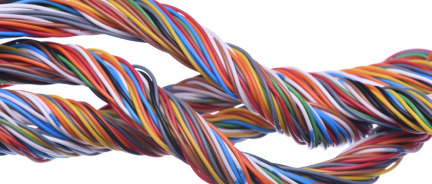
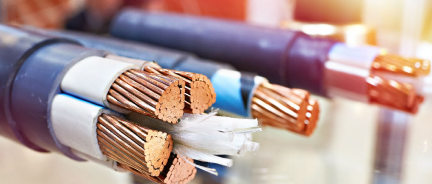
Smart home wiring includes both line-voltage power cable and low-voltage communication cable. The power side supports circuits for lighting, receptacles, smart panels, EV chargers, HVAC equipment, and appliances. The low-voltage side supports Ethernet, PoE cameras, access points, door stations, thermostats, alarms, and automation controls.
NM-B cable is the standard choice for indoor smart home branch circuits. It mostly feeds lighting circuits controlled by smart switches, receptacles used for smart plugs or connected appliances, and general indoor loads that support the automation system.
THHN/THWN-2 conductors become important when smart home wiring moves into conduit. They are used with EV chargers, smart panels, exterior receptacles, garage equipment, detached structures, and outdoor smart devices. For exterior or underground conduit, the cable has to carry the double THWN-2 wet-location rating.
UF-B cable is used when power needs to reach outdoor smart home equipment without a full conduit run, where direct burial is allowed. It is used for detached garages, sheds, landscape lighting, smart gates, exterior cameras, and outdoor automation equipment. Because outdoor smart devices often sit far from the main panel, check the burial depth and voltage drop before installation.
SER and SEU cable are relevant when the smart home project affects the service or feeder side of the electrical system. They may be used for service entrance wiring, larger feeders, panel upgrades, subpanels, or smart panel installations. These cables are not for individual smart devices, but they support the higher-capacity infrastructure needed for EV charging, electrification, load management, and whole-home smart power monitoring.
XHHW-2 conductors are a strong option for larger feeder and conduit applications in smart home projects. They are commonly used for installations involving subpanels, detached garages, long conduit runs, outdoor equipment, or higher-capacity circuits. Aluminium XHHW-2 can also help reduce cost on larger feeders while still supporting smart home additions such as EV chargers, backup power equipment, and remote subpanels.
Cat6 cable is one of the most important low-voltage cables in a smart home. It gives the home a wired backbone for wireless access points, PoE cameras, smart hubs, TVs, offices, and network racks. Instead of relying on Wi-Fi for every device, Cat6 keeps critical systems hardwired and more stable.
Cat6A cable is useful when the smart home needs more network headroom. It is a good fit for larger homes, long Ethernet runs, media rooms, home offices, network-heavy households, and installations designed for future upgrades. Cat6A may be especially useful where multiple access points, high-resolution cameras, streaming devices, and work-from-home equipment all depend on the same network.
Coaxial cable still appears in many smart home designs because internet service, cable TV, satellite, and media distribution may still depend on it. Even when the home uses streaming, coax can remain part of the modem location, media cabinet, or structured wiring panel.
Thermostat cable is used in smart thermostats for continuous low-voltage power.
Security and control cable is used in hardwired alarms, door contacts, motion sensors, access control, smart gates, intercoms, and other low-voltage automation devices. Wireless sensors are easier to add later, but hardwired security and control cables can reduce battery maintenance and improve reliability for core safety and access systems.
Cable Planning by Smart Home System

Different smart home systems require different wiring strategies.
Smart Home Electrical Installation Checklist 2026

Future-Proofing a Smart Home With Cable
The best time to run cable is before walls are closed. Even if every smart device is not installed immediately, extra cable pathways can make future upgrades much easier.
A smart home may need more Ethernet drops, larger feeders, extra conduit, dedicated equipment circuits, exterior wiring, and a better network rack location over time. Planning for these possibilities during the first installation is usually easier and cleaner than opening walls later.
Empty conduit is especially useful. A raceway from the panel to the attic, basement, garage, or network area can make future cable pulls simpler. Extra Cat6 or Cat6A runs to offices, TVs, ceilings, and exterior camera points also give the homeowner more flexibility as devices change.
EV charging is another major future-proofing issue. Even when an EV charger is not installed immediately, planning the route, panel capacity, conduit, and conductor size can reduce future installation work.
EV charging is another major future-proofing issue. Even when an EV charger is not installed immediately, planning the route, panel capacity, conduit, and conductor size can reduce future installation work.
Nassau National Cable supplies many of the wire and cable types used in smart home electrical installations, including NM-B cable, THHN/THWN-2 conductors, UF-B cable, SER and SEU cable, XHHW-2 conductors, bare copper grounding wire, Cat6 cable, Cat6A cable, coaxial cable, thermostat cable, and security/control cable.