Garrie AI: Your Cable Guide


How to Wire a 2-Way Switch
This guide covers the UK wiring convention for 2-way switches. If you're in the US, the setup is identical, but the switches are sold as 3-way switches and the terminal labeling differs slightly: see our US wiring guide for specifics.
A 2-way switch lets you control a single light from two locations. It's one of the most common domestic wiring jobs, and once you understand the logic, it's straightforward to do yourself.
What Is a 2-Way Switch?
A 2-way switch lets you control a single light (or other load) from two locations. Either switch controls the light independently: flip one to turn it on, flip the other to turn it off.
The term "2-way" refers to the two switch locations, not the number of contacts inside the switch. In the US, the physical switches used are called 3-way switches, named for their three terminals. In the UK and much of Europe, they're called 2-way switches at the component level. The naming is confusing, but these are fundamentally the same thing.
If you need control from three or more locations — say, a large open-plan space with three entry points, you'd add intermediate (or 4-way) switches between the two end switches. That's a separate setup, but it builds on the same foundation.
Where Are 2-Way Switches Used?
Anywhere you might enter or exit a space from more than one direction is a candidate. In practice, that covers a lot of ground.
- Staircases — switch at the bottom, switch at the top
- Long hallways — switch at each end
- Large bedrooms — switch at the door and at the bedside
- Open-plan living areas — switch at each entry point
- Garages — switch at the house door and the garage door
- Basements and utility rooms with two access points
- Outdoor areas — porch light controlled from inside and outside
Beyond residential spaces, 2-way switches appear in commercial settings too — in corridors, storage rooms, conference rooms with multiple entry points, and anywhere building code or practical layout calls for multi-location control.

What's Actually Inside a 2-Way Switch
Unlike a standard single-pole switch, which breaks or completes a single circuit, a 2-way switch is a single-pole double-throw (SPDT) switch.
Inside the switch, a lever pivots from the COM terminal and makes contact with either L1 or L2. There's no off position. The switch is always connected to one of the two travelers. Whether the light is on or off depends on whether the two switches are aligned on the same traveller.
This is why the logic works the way it does:
- Switch 1 on L1, Switch 2 on L1 → ON
- Switch 1 on L2, Switch 2 on L2 → ON
- Switch 1 on L1, Switch 2 on L2 → OFF
- Switch 1 on L2, Switch 2 on L1 → OFF
The Terminals
Each 3-way switch has three screw terminals plus a ground:
- COM (Common) — the black screw, always alone on one side. Current enters here on the first switch and exits here on the second. This is the terminal you must not mix up with the travellers.
- L1 and L2 (Travelers) — the two brass screws, always paired on the opposite side. These connect the two switches via traveller wires.
- Ground — the green screw.
The fastest way to identify a COM port on a physical switch is the lone screw on its side. L1 and L2 are always together on the other.
The Wiring
Four wires do the work:
- Hot wire — runs from the source to COM on Switch 1.
- Traveler L1 — connects Switch 1's L1 to Switch 2's L1.
- Traveler L2 — connects Switch 1's L2 to Switch 2's L2.
- Switched hot — runs from COM on Switch 2 to the lamp.
The neutral wire bypasses both switches entirely and runs straight from the source to the lamp. It is never switched.
Step-by-Step Wiring
Before starting: turn off the circuit breaker and confirm the power is off with a non-contact voltage tester.
At Switch 1:
- Connect the hot wire from the source to the COM (black screw).
- Connect Traveler 1 to L1 (upper brass screw).
- Connect Traveler 2 to L2 (lower brass screw).
- Connect the ground wire to the green screw.
At Switch 2:
- Connect Traveler 1 to L1 (upper brass screw).
- Connect Traveler 2 to L2 (lower brass screw).
- Connect the switched hot wire to COM (black screw).
- Connect the ground wire to the green screw.
At the lamp:
- Connect the switched hot wire to the lamp's hot terminal.
- Connect the neutral wire to the lamp's neutral terminal.
Cables for a 2-Way Switch Circuit
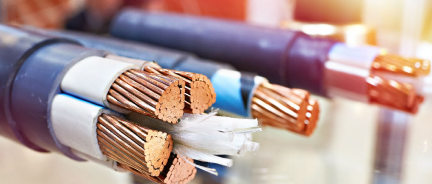
A 2-way switch circuit has three distinct cable runs, each using a different cable. Getting this wrong is one of the most common reasons a new installation doesn't work.
How Cable Naming Works
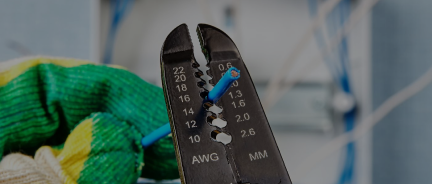
In the US, residential cable is labelled by gauge and conductor count. 14/2 means 14 AWG wire with 2 conductors plus a bare copper ground. 14/3 means 14 AWG with 3 conductors plus ground. The ground wire is always included but never counted in the number.
The most common cable type for residential switch wiring is NM-B (non-metallic sheathed cable), widely known as Romex in the US. In the UK, the equivalent is twin and earth: a flat, grey-sheathed cable with a brown live, a blue neutral, and a bare earth.
Gauge and circuit amperage:
- 14 AWG cable is rated for 15-amp circuits (the most common for lighting)
- 12 AWG cable is rated for 20-amp circuits
- Never use a smaller gauge than what the circuit breaker is rated for
The Three Cable Runs
Run 1: Source to Switch 1
Use 14/2 (or 12/2 on a 20-amp circuit). This cable carries two conductors plus ground:
- Black — hot wire, connects to COM on Switch 1
- White — neutral, bypasses Switch 1 entirely and runs to the lamp
- Bare copper — ground, connects to the green screw on Switch 1
Run 2: Switch 1 to Switch 2 (the traveller run)
Use 14/3 (or 12/3 on a 20-amp circuit). This is the only leg of the circuit that requires a 3-wire cable because it must carry both traveller wires simultaneously. It contains:
- Black — Traveler L1, connects L1 on Switch 1 to L1 on Switch 2
- Red — Traveler L2, connects L2 on Switch 1 to L2 on Switch 2
- White — not needed for the switch logic; typically used to carry the neutral through if the wiring configuration requires it, or capped and left unused
- Bare copper — ground, connects to the green screw on both switches
This is the run people most often get wrong by reaching for 14/2 out of habit. Two conductors aren't enough. You need the red wire.
Run 3: Switch 2 to Lamp
Use 14/2 (or 12/2 on a 20-amp circuit). This cable carries:
- Black — switched hot, connects from COM on Switch 2 to the lamp's hot terminal
- White — neutral, connects to the lamp's neutral terminal (this wire has been running from the source all along)
- Bare copper — ground, connects to the lamp fixture's ground
Note: In some configurations, a white wire may serve as a hot or switched-hot conductor. The NEC requires it to be re-identified with black tape at both ends. If you find a white wire on a COM or traveller terminal without black tape, trace the circuit before assuming anything.
Conduit
If your installation uses conduit instead of NM-B cable — common in garages, basements, or commercial spaces — you're pulling individual THHN or THWN conductors rather than a pre-jacketed cable. The same conductor count applies: two travelers plus a ground between the switches, one hot or switched hot plus neutral and ground on the other runs. Wire colours in conduit follow NEC conventions: black or red for hot conductors, white or grey for neutral, green or bare for ground.
Common Mistakes
Connecting a traveler to COM. If the light works correctly from one switch but not the other, this is almost always the cause. COM must be the lone screw.
Using a 2-wire cable between the switches. You need three conductors between the two switches. A 2-wire cable only gives you two.
Swapping L1 and L2 between switches. Switch 1's L1 must connect to Switch 2's L1, and L2 to L2. If they're crossed, the circuit logic inverts. The switches still function, so this mistake can go unnoticed — but it's worth getting right for anyone who works on the circuit later.
Skipping the ground. Not optional.
Smart Switches and 2-Way Setups
Standard 2-way wiring doesn't bring a neutral wire to the switch box — neutral runs directly to the fixture. Most smart switches require a neutral wire at the switch location to power their electronics, so older wiring may not support a straight swap.
Some smart switch brands offer no-neutral models that work without it, though they can have quirks with certain bulb types or require a compatible dimmer on the circuit. Others solve the problem by using a single traveller wire as a makeshift neutral in certain wiring configurations.
If you're upgrading a 2-way setup to smart switches, check for a neutral in your switch boxes before buying. It's the most common source of compatibility issues.
At Nassau National Cable, you can purchase NM-B 14/2, NM-B 14/3, NM-B 12/2, and NM-B 12/3 for standard residential runs, as well as 14 AWG THHN/THWN-2 for conduit installations — available by the foot or in bulk reels.